Beginner’s Guide to Satellite Imagery: 10 Terms You Need to Know

Satellite imagery is an amazing but highly technical field with terms that might be hard to understand, especially for somebody with expertise in a completely different area. That’s why we are explaining the basics of satellite imagery in this article. What’s geolocational accuracy? What is the ideal off nadir angle? How can you see through clouds? Let’s dive right in.

Table of Contents

Are satellite images for me? 50+ applications of satellite imagery

From 1946, when the first photograph of Earth was taken from space, we have walked a long journey. Modern satellite sensors offer incredibly high resolutions, capture colours that the human eyes can’t see, and monitor strategic places multiple times per day. The applications are countless – and yet, only few people know about them.

Imagine this scenario: You are an emergency response coordinator. A powerful storm has just swept through your region, leaving roads flooded and neighbourhoods isolated. Within hours, you receive updated satellite images of the affected areas. These images reveal which roads are blocked, where rivers have overflowed, and which communities are most in need of immediate help. You use this information to direct rescue teams, prioritise supply drops, and keep the public informed. With satellite imagery, your response is faster, more targeted, and potentially life-saving.

Similar applications can be found across various industries, from civil government to commercial uses in mining or insurance. To name just a few examples:

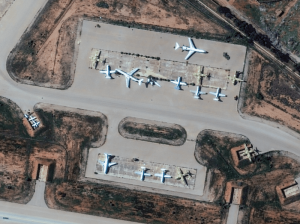
  • Defence and intelligence analysts use satellite imagery to reveal camouflaged vehicles, which is possible thanks to the sensor’s ability to distinguish materials. 
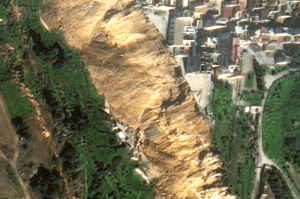
  • In emergency management, satellite images are used to predict floods, wildfires and landslides, based on the health and moisture of vegetation and land. 
Infographic listing numerous applications of satellite imagery

Applications of satellite imagery across industries 

What makes satellite images so valuable?

In the modern world, access to information defines your success. The better data you have, the better and faster your decision-making is, and the more efficient solutions you can achieve. Among the many methods of data collections, satellite imagery is often the most effective one. Satellites can capture hundreds of square kilometres within minutes, and show details as little as road lines and animals. Moreover, some sensors see beyond the surface – they can show you things like chlorophyll activity in plants, materials, or soil moisture. They are not restricted by terrain, which makes them suitable for mountainous or cross-border regions, and can deliver images to you as quickly as up to 15 minutes after collection. What would take days if you used manual surveys, takes only hours with satellites.

But to understand and use the full potential of satellite images, you first need to get acquainted with the most important terms and parameters. Let’s explore them in this article.

1. Resolution (Is your satellite image sharp?)

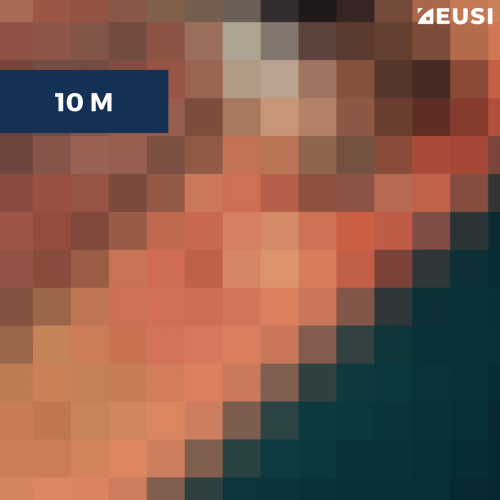
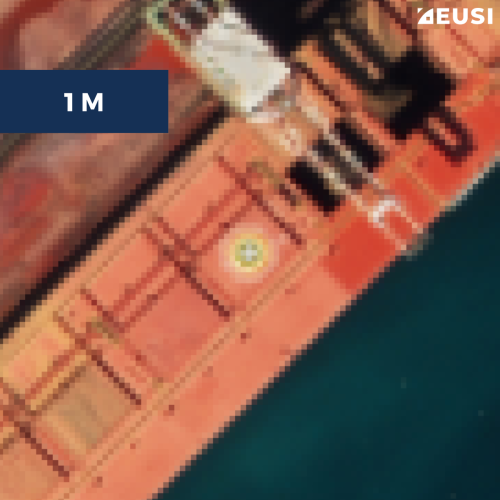
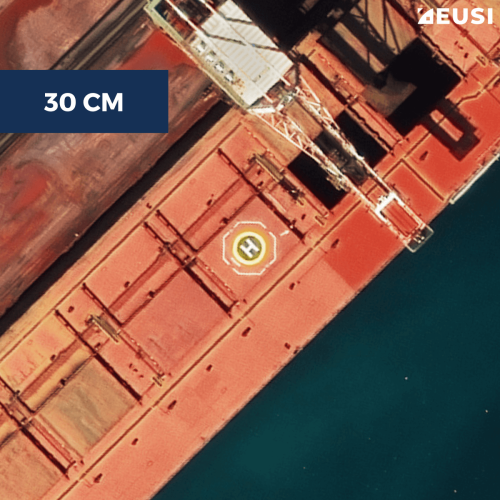
One of the key characteristics that define the quality of satellite images and what you can see in them is spatial resolution. Just like with photos from a phone or camera, if the resolution is low, the image is blurry and doesn’t show details. On the contrary, high resolution means crisp and sharp images. In the language of numbers, a 1 m resolution means that one pixel in the image represents a 1 x 1 m spot on the ground, while a 30 cm resolution means that one pixel represents a 30 x 30 cm in real life. This number is also referred to as GSD (Ground Sampling Distance).

The offered resolution varies across satellites and providers. In 2014, the European Union launched the Sentinel constellation which offers free images at 10 m resolution, while the highest commercially available resolution from private providers is 25 cm. (EUSI operatesatellites with 30 cm resolution, delivering some of the highest-resolution imagery available.)

  • 10 m resolution is suitable for large land areas but won’t provide any details. Vehicles or plants won’t be at all identifiable. 
  • 1 m provides some basic details but it’s still difficult to spot and recognise things. For example, you can’t read a ship’s name, and measurements won’t be accurate. 
  • 25–50 cm is the highest native resolution commercially available. It’s recommended for projects relating to object identification. 

What resolution you need depends on your project. For large mapping missions, Sentinel imagery might be enough. But if you need to identify objects, ask for VHR – Very High Resolution – imagery.

Annotated VHR satellite image of a ship with details clearly visible

VHR satellite imageSatellite imagery © 202Vantor provided by European Space Imaging

15 cm HD

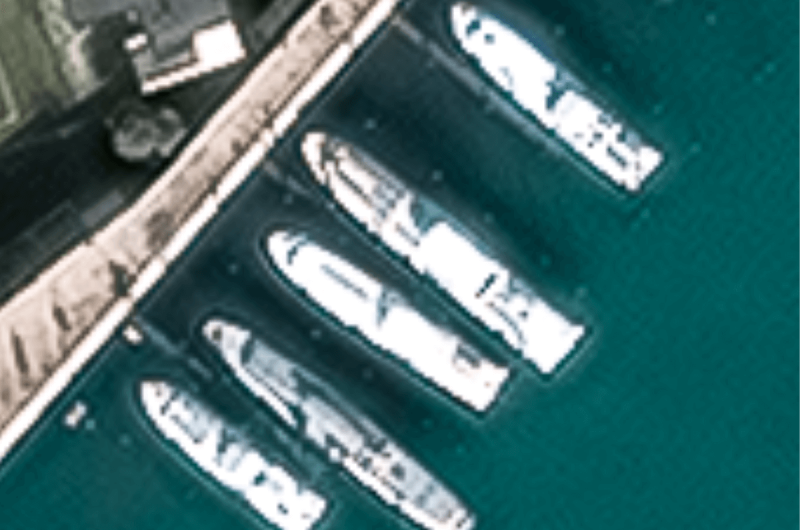
30 cm is not where it ends. While 30 cm is the highest resolution a satellite can collect at, the 30 cm image can be further enhanced by Vantor HD (High-Definition) technology to 15 cm. This technology intelligently increases the number of pixels through a complex mathematical model, resulting in 15 cm imagery and helping both people and algorithms better extract valuable information.

Satellite image of boats at 30 cm resolutionSatellite image of boats at 15 cm HD resolution

30 cm vs 15 cm HD. Satellite imagery © 2026 Vantor provided by European Space Imaging

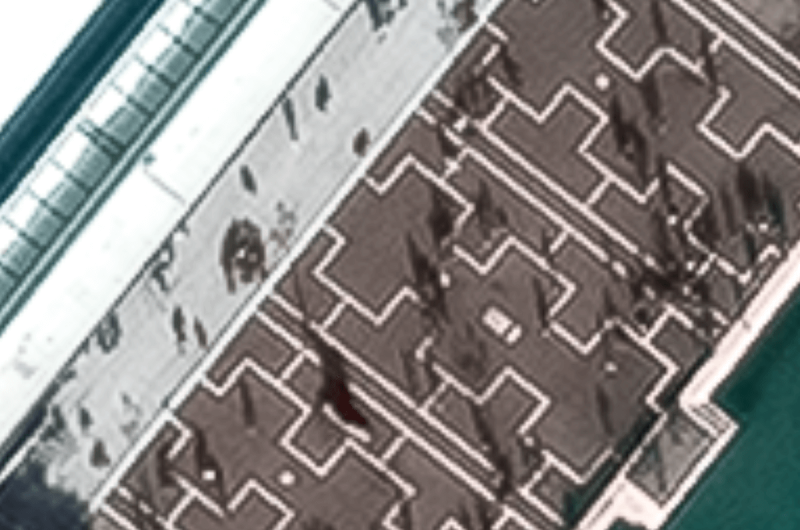
15 cm HD allows governments and organisations to verify features such as light poles, signs, or infrastructure conditions.

Satellite image of a square at 30 cm resolutionSatellite image of a square at 15 cm resolution

30 cm vs 15 cm HD. Satellite imagery © 2026 Vantor provided by European Space Imaging

To differentiate between different types of spatial resolution, you should know these two terms: 

  • Native resolution is the resolution the sensor collects at. 
  • HD stands for High-Definition – the technology that enhances images to a higher resolution. It is sometimes known as “Super Resolution.” 

2. Geolocational accuracy (What are the coordinates of the objects in the satellite image?)

For certain applications, using the highest resolution satellite imagery will be enough. However, for many others, knowing the geographic accuracy of each pixel is crucial. Why? Imagine that you’ve been sent to clear vegetation by the side of a railway. Based on the analysis of satellite images, you’ve been given the coordinates of a stand of trees that are in urgent need of cutting back. But when you arrive at the location, you don’t see them. The source wasn’t accurate.

That’s why we talk about the absolute and relative accuracy of satellite images.

  • Absolute accuracy is how close a pixel in the image is to the actual location on Earth that it is depicting. 
  • Relative accuracy refers to the distances between objects visible in the image and enables you to measure the size of objects.  

Spatial resolution plays a significant role in the accuracy of satellite imagery. The higher the resolution, the better the display of objects and their relationships to each other. For example, a 30 cm resolution image from the WorldView Legion satellite will allow for significantly better pointing accuracy and precise measurements than a one-metre resolution alternative. 

Geolocational accuracy is usually described by numbers. The WorldView satellite constellation provides an absolute geolocational accuracy of 5 metres using the CE90 standard, which translates into English as “You can be 90% confident that the object in question is within a 5-metre radius of its actual location on the ground.”

The accuracy can be further increased (to up to 10 cm) by two methods: ground control points (GCP) and orthorectification.

  • Ground Control Points (GCP) are points on the ground whose coordinates are already known – for example the Eiffel Tower. 
  • Orthorectification is the use of a digital elevation model to correct inaccuracies. We recommend using it for mountainous areas. 

3. ONA (Do you see objects from above or from the side?)

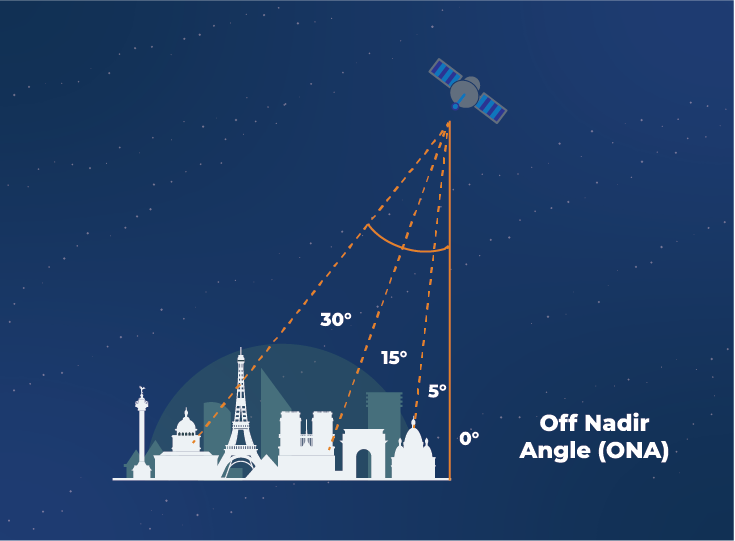
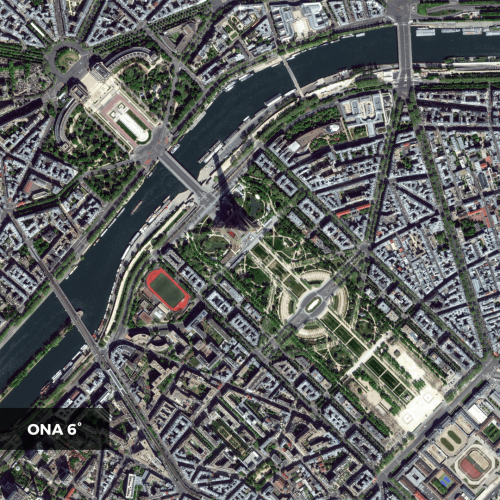
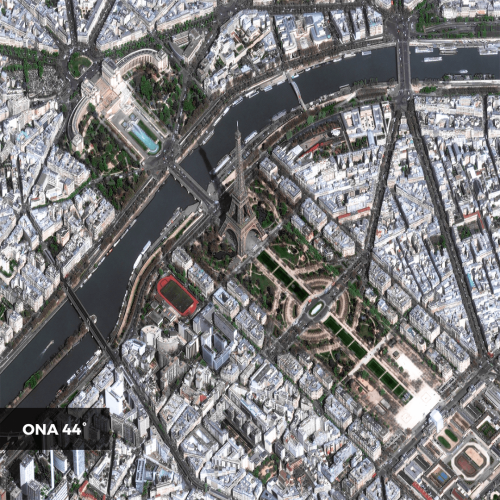
Another number that has a huge impact on the quality of satellite images is the ONA – Off Nadir Angle. It’s the angle between the satellite’s nadir, which is directly below the satellite, and the point on the Earth’s surface which is being observed. A low ONA means you will see the target directly from above, while a higher ONA means you will see it more from the side. The angle influences the resolution and clarity, decides the visibility of features, and makes it easier or harder to identify objects.

Off nadir angle explained

ONA is the angle between the satellite’s nadir, which is directly below the satellite, and the point on the Earth’s surface which is being observed. 

  • A lower ONA leads to a higher resolution but at the same time limits the visibility of side features and reduces how often the satellite’s orbit allows it to capture the location again. 
  • A higher ONA is valuable if you need to see side features, such as signs, windows, or debris next to buildings. But the resolution of the image decreases. 

For example, Vantor WorldView-3 collects images at 30–40 cm resolution; if the ONA is 0–15°, the resolution of the image will be 30 cm. If the ONA is higher, the resolution will be 40 cm.

What’s the ideal Off Nadir Angle? It always depends on the needs, requirements and goals of a specific remote sensing project. In general:

  • For detailed mapping and analysis, a lower ONA is preferable to provide the best possible resolution and maximise data quality. 
  • For large-scale coverage or monitoring purposes, a slightly higher ONA may be better as it allows for more collection opportunities, and therefore a faster collection of the area.  
  • Last but not least, it depends on your need to see side features, such as signs or windows. 

It’s essential to strike the balance between image quality, feature visibility, and satellite coverage based on the intended use. To learn more, read a separate article on the ONA. 

4. Multispectral imagery can see more than the human eye can

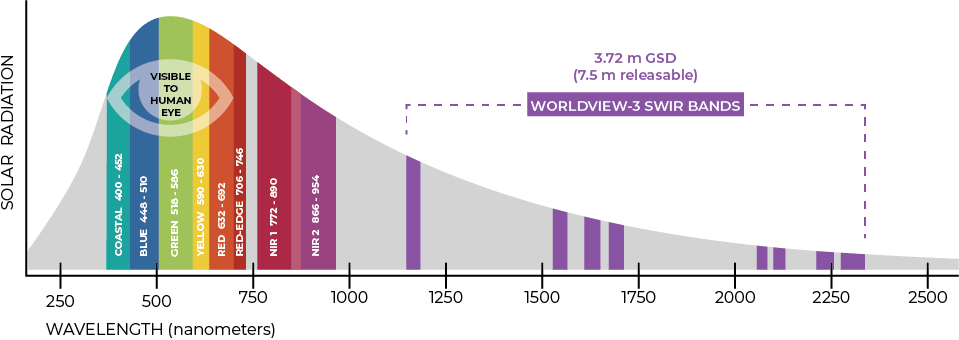
People see colours differently than satellites. The human eye can see the colour bands in the wavelength spectrum of 400–700 nm (nanometres). However, satellite sensors can see more. They show the wavelengths that are invisible to human eyes, such as near-infrared or red edge.

Diagram showing the wavelengths of spectral bands in multispectral satellite imagery

Satellite or aerial images that reveal these additional spectral bands are called multispectral. They show things like: 

  • chlorophyll activity, which is used to classify plant species and determine vegetation age, health, or stress 
  • mineral content in the soil, which is important for mining 
  • water content in soil and vegetation, which is useful for predicting floods and wildfires 
  • material characteristics used to create urban maps or reveal camouflage 
  • and much more 

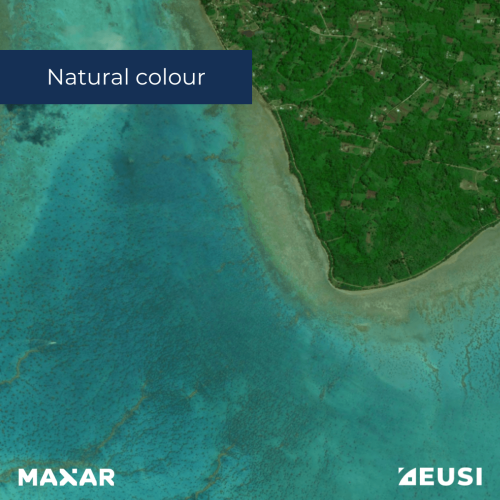
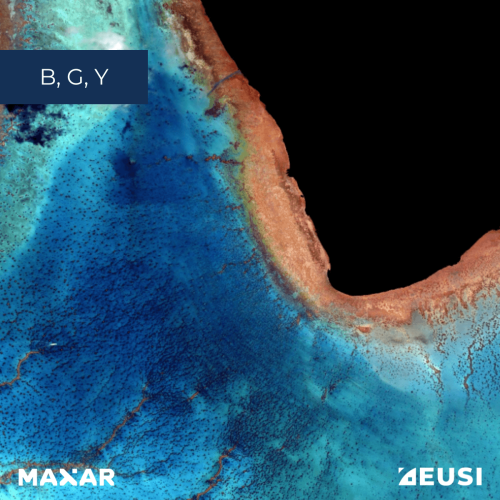
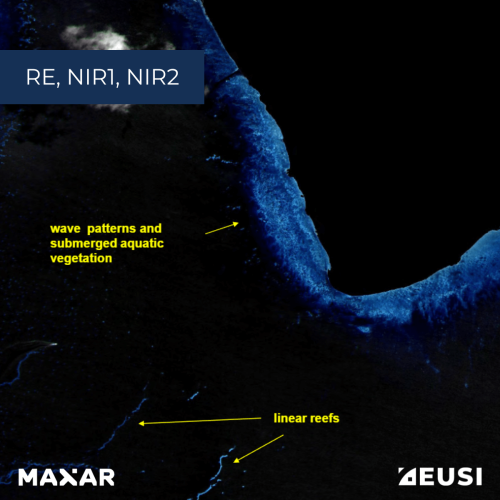
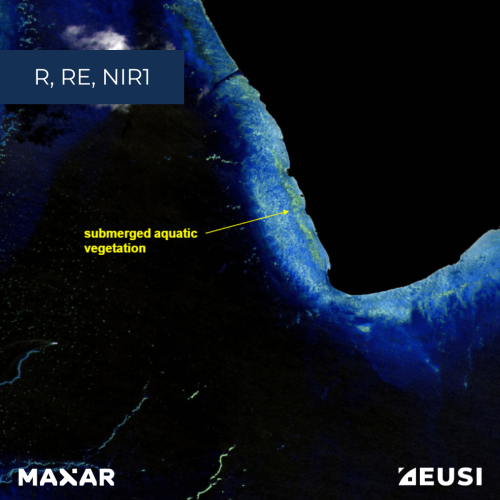
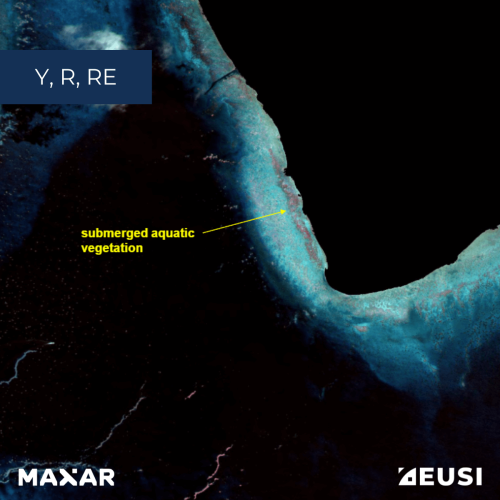
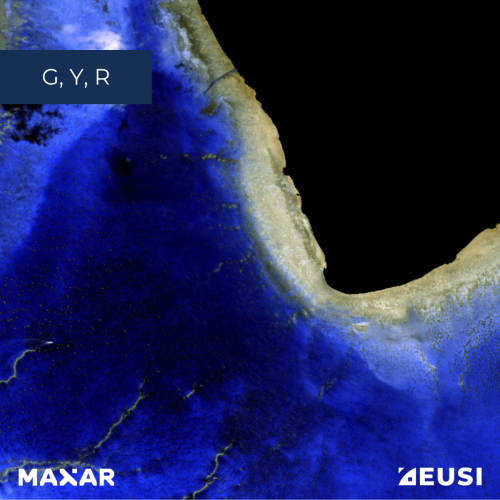
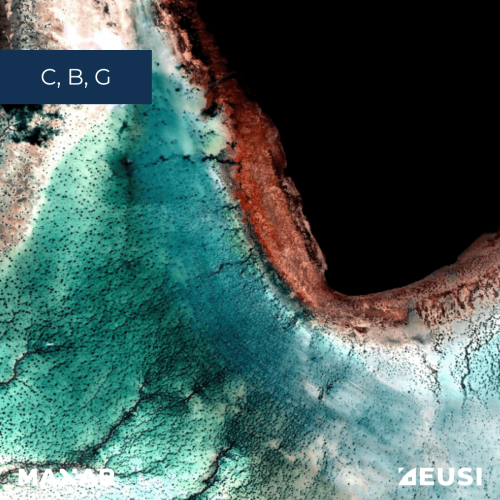
Look at the examples of combining different spectral bands for bathymetry: 

Satellite images that display the same wavelengths we can see with the naked eye are called true colour. Multispectral images are called false colour or 4-band, 6-band etc. – depending on how many bands the sensor captures. For example, 4-band imagery at lower resolutions is quite common; however, EUSI is the only provider in the market who can deliver 8-band imagery at 30 cm resolution (after pansharpening).

Which band reveals what information? Have a look at our brochure about 8-band multispectral imagery. 

5. Pansharpening: Increase the resolution of multispectral images

Some satellites have more than one sensor – for example one collects panchromatic (black and white) imagery, while another one collects multispectral bands. However, this results in one satellite delivering imagery with different qualities, since multispectral images have a lower resolution than the panchromatic imagery. When you want to have both qualities – the multispectral data and the panchromatic resolution –, you can easily increase the resolution through a method called pansharpening. In this case, a lower-resolution multispectral image is merged with a high-resolution panchromatic one. The result is a single high-resolution multispectral image that combines the best qualities of both.

6. AOI: What is it and how to create it?

Geospatial specialists don’t talk about places – they talk about targets and Areas of Interest (AOI). An AOI often has the format of a shapefile which you can easily draw and download in geospatial software or online. One of the online tools you can use is EUSI’s ATOM:

  1. Open ATOM in your browser. 
  2. Click on the icon of a square in the bottom right corner. 
  3. Create your shape. 
  4. Click “Confirm” and browse available images. 
An area of interest drawn on a satellite image stripe laid on a background map

Collecting the imagery

When the area of interest, resolution, accuracy, off nadir angle, spectral bands, and any other additional parameters have been defined by the customer, EUSI’s Operations team can start planning the collection. There are several things they need to consider:

  • cloud cover 
  • sun glint 
  • size of AOI 
  • priority and speed of delivery 
  • and, of course, meeting all the parameters 

7. Cloud cover

Cloud cover is a number expressing what percentage of the area of interest is covered by clouds. Because clouds obstruct parts of the image and thus create data gaps, zero cloud coverage is ideal – but not always realistic. Therefore, our Operation Managers work with real-time weather data and combine forecasts with their own evaluation based on current data from weather satellites. The collection plan is finalised between 30 minutes and one minute before the contact with the satellite so that the weather data is as fresh as possible and changes in meteorological conditions have only minimal impact on the quality of the imagery. This process is part oIntelligent Collection Planning.

8. Use SAR to see through the clouds or dark

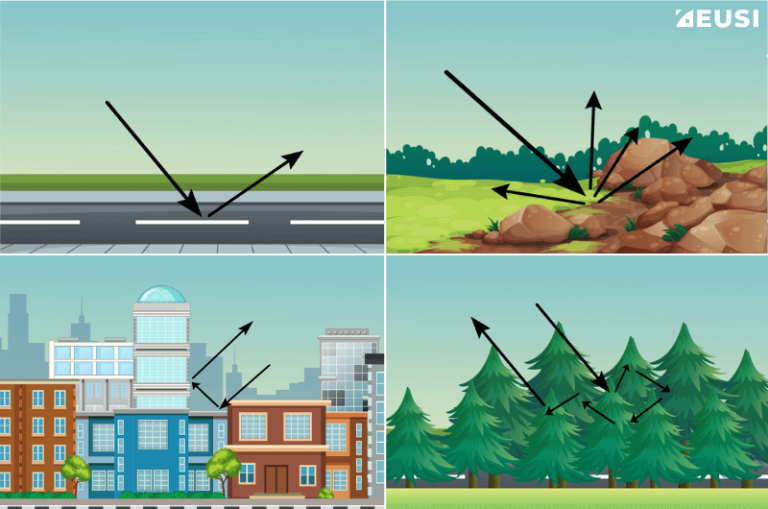
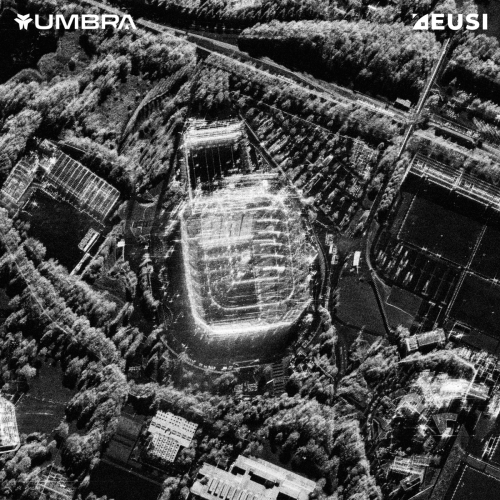
Optical and SAR satellite imagery are at the first glance completely different, but they complement each other. While optical images are more like photographs captured by a satellite sensor, SAR stands for Synthetic Aperture Radar and uses radar waves to map the Earth’s surface. The radar transmits electromagnetic waves, they reach the surface and backscatter to the sensor. Because every surface has a unique way of scattering the waves, you are able to analyse their characteristics and identify what’s on the ground.

Different types of surface scatter the electromagnetic waves transmitted by a SAR satellite differently.

The main benefit is that unlike optical imagery, SAR can operate at night and can penetrate clouds, smoke or fog. It’s also able to penetrate foliage and soil, and isn’t affected by sun glint. That’s why SAR images are very valuable for applications like emergency response, since many natural disasters are accompanied by clouds and collection of optical imagery is therefore not possible, defence and intelligence, where they enable persistent monitoring, or agriculture, where they provide information about soil.

Filling in missing data with DoubleShot

SAR imagery can see through the clouds but is harder to analyse than optical imagery. To overcome this challenge, we have developed DoubleShot, a synchronised collection of both. DoubleShot has two major benefits:

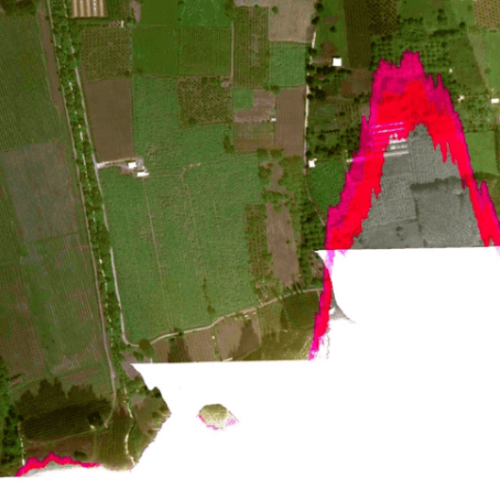
First, if part of the image is obstructed by a cloud, the missing data can be filled in from SAR imagery.

An optical image is partly covered by cloud. In the place of the cloud, a SAR image is inserted, showing the data that wasn't visible due to the cloud

Optical satellite imagery © 2026 Vantor provided by European Space Imaging & SAR imagery © 2026 Umbra provided by European Space Imaging 

Second, if the customer needs persistent monitoring, they can receive optical data on cloud-free days and SAR data when it’s cloudy, thus making sure they always have usable intelligence regardless of meteorological conditions. For example, DoubleShot has already proven useful in flood monitoring.

A timeline showing 4 different images: first one is a cloud-free optical, then a clouded optical, then a SAR image, and then a cloud-free optical satellite image

Persistent monitoring with DoubleShot

9. Atmospheric compensation

If the optical satellite image isn’t completely obstructed by clouds but rather hazy, it can be sharpened by atmospheric compensation – a fully automated process that reduces the effect of atmospheric interference on satellite data. Vantor’s AComp removes haze and vapour particles from high-resolution satellite images and makes them even clearer and more accurate.

A clear, haze-free satellite image (without atmospheric compensation)A hazy satellite image (without atmospheric compensation)

A hazy satellite image with vs without atmospheric compensation. In this example, Acomp has been applied to a lower resolution image. Satellite imagery © 2026 Vantor provided by European Space Imaging 

10. A threat called Sun Glint

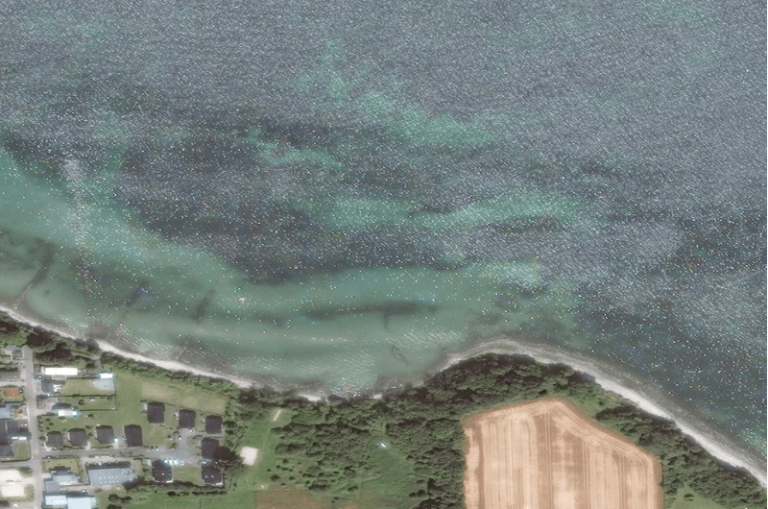
Sun glint can ruin satellite images. It occurs when the sun reflects off water or another reflective surface, such as metal roofs or solar panels, at the satellite sensor, creating a bright glare in the image. It often obscures features underneath, and makes it challenging (or even impossible) to extract useful information. Therefore, sun glint in satellite images is a major problem for most remote sensing projects.

To minimise the impact of sun glint on the images we collect, we follow a specific procedure: Intelligent Collection Planning. An automated system – EUSI DAF 3.0 – plans the collection, and if it’s over a sun glint region, it issues an automatic warning. A collection planner then takes over, analyses the situation, and manually refines the plan so that the looking direction of the satellite to the area of interest doesn’t point to a region where sun glint may occur. By adjusting the angle of the satellite, we are able to deliver high quality data with a minimum impact of sun glint that meets even the strictest technical requirements.

Satellite image of a coast with sun glint (reflections) over the waterSatellite image of a coast with clear water

The same image with and without sun glintSatellite imagery © 2026 Vantor provided by European Space Imaging 

How to get access to satellite images?

To ask about your project and order Very High Resolution satellite imagery, fill out the contact form and specify the details of your project. 

  • What is the goal of your mission? 
  • What is your area of interest? 
  • What resolution do you need? 

We will be happy to get back to you. 

Glossary

Atmospheric compensation = a fully automated process that reduces the effect of atmospheric interference on satellite data.

AOI (Area of Interest) = the specific geographic region or feature that is the focus of the collection.

Cloud cover = what percentage of the area is covered by clouds.

DoubleShot = synchronised collection of optical and SAR imagery.

False colour satellite image = multispectral satellite image = satellite image that shows the wavelengths that are invisible to human eyes, such as near-infrared or red edge.

Geolocational accuracy (absolute) = how close a pixel in the image is to the actual location on Earth that it is depicting.

Geolocational accuracy (relative) = the distances between objects visible in the image and enabling you to measure the size of objects.

Ground Control Points = points on the ground whose coordinates are already known – for example the Eiffel Tower.

GSD (Ground Sampling Distance) = spatial resolution = the area represented by a single pixel in the image (for example, a 30 cm resolution means that one pixel in the image represents a 30 x 30 cm spot on the ground).

HD (High-Definition) = technology that intelligently increases the number of pixels through a complex mathematical model to enhance images to a higher resolution.

Multispectral satellite image = false colour satellite image = satellite image that shows the wavelengths that are invisible to human eyes, such as near-infrared or red edge.

Native resolution = the resolution a satellite sensor collects at.

ONA (Off Nadir Angle) = the angle between the satellite’s nadir, which is directly below the satellite, and the point on the Earth’s surface which is being observed.

Orthorectification = the use of a digital elevation model to correct inaccuracies (recommended for mountainous areas).

Panchromatic = black and white.

Pansharpening = increasing the resolution of a multispectral image by merging it with a high-resolution panchromatic image.

Revisit rate = how frequently an area can be collected. For example, a daily revisit rate of 8 means that satellites fly over the area of interest eight times a day.

SAR (Synthetic Aperture Radar) = a type of satellite imagery using radar waves to map the Earth’s surface.

Spatial resolution = GSD (Ground Sampling Distance) = the area represented by a single pixel in the image. For example, a 30 cm resolution means that one pixel in the image represents a 30 x 30 cm spot on the ground.

Sun glint = a phenomenon which occurs when the sun reflects off water or another reflective surface, such as metal roofs or solar panels, at the satellite sensor, creating a bright glare in the image.

True colour satellite image = satellite image that displays the same wavelengths we can see with the naked eye (unlike a false colour image which shows more).

VHR (Very High Resolution) = resolution of at least one metre or higher.

Related Stories

AI in satellite based forest management

AI Uses 15 cm Satellite Images to Cut Costs and Increase Scalability in Forest Management and Urban Forestry

Forest managers across Europe face an impossible task: monitor millions of hectares with shrinking budgets while meeting increasingly strict EU environmental targets. But with the rise of AI and satellite technology, they now have new solutions at their disposal – smarter, cheaper, and more scalable – to monitor forest health, automate tree inventories, and plan sustainable logging. In this article, we introduce one of these solutions: an AI forestry algorithm developed by Arboair using 15 cm satellite data from EUSI.

Read More »
Satellite imagery for water resilience

Using Satellite Imagery to Build Water Resilience Across Europe

Water across Europe is facing severe pressure. Climate change, urbanisation, agricultural demands and other sources of pollution are threatening water security and creating critical challenges that need to be addressed. We have to act quickly, build stronger systems and create sustainable water resilience practices – so that both natural ecosystems and human communities can thrive. Here is how satellite imagery from EUSI can help.

Read More »