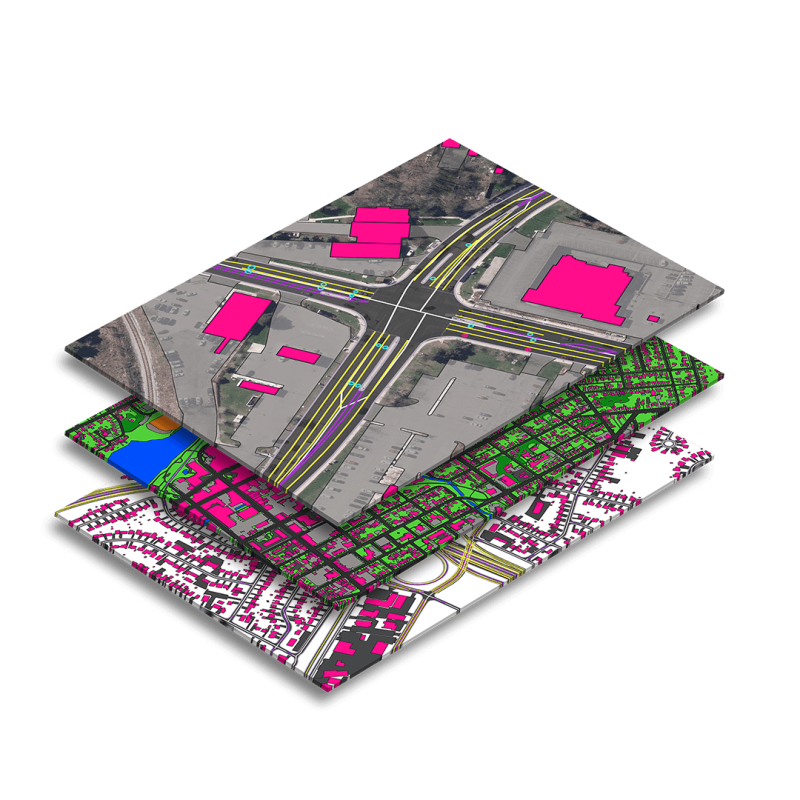
We’ve partnered with innovative geospatial and advanced computing enterprises to offer easy to use satellite imagery products as well as custom tailored solutions. Our scalable solutions are built to fit unique requirements in a variety of geographies.
Giving unrivaled perspective of events on the ground and at sea, our satellite imagery offers the resolution, frequency, spectral bands, accuracy and historical archive to drive innovation and solve problems.
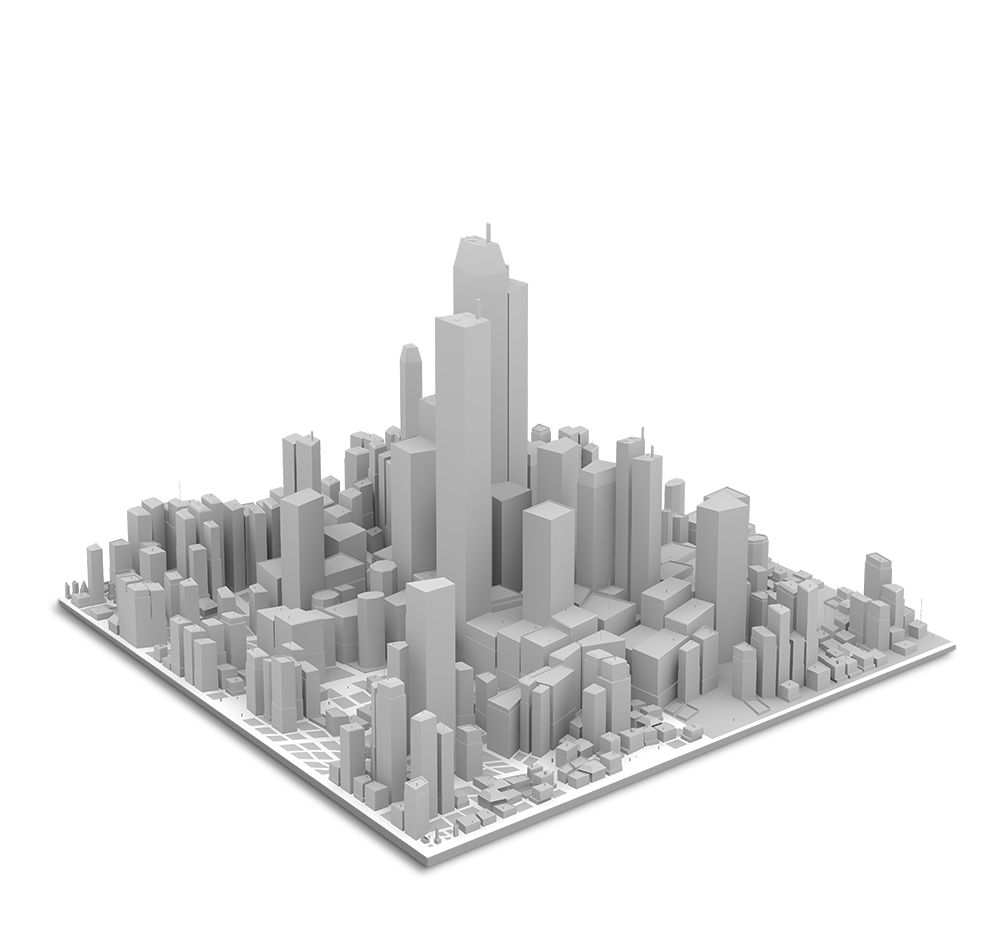
Not all data is created equal. Digital Elevation Models (DEM) and advanced 3D visualisations answer crucial questions, provide unique insights and give decision makers the data they require for success.
Not all data is created equal. Digital Elevation Models (DEM) and advanced 3D visualisations answer crucial questions, provide unique insights and give decision makers the data they require for success.
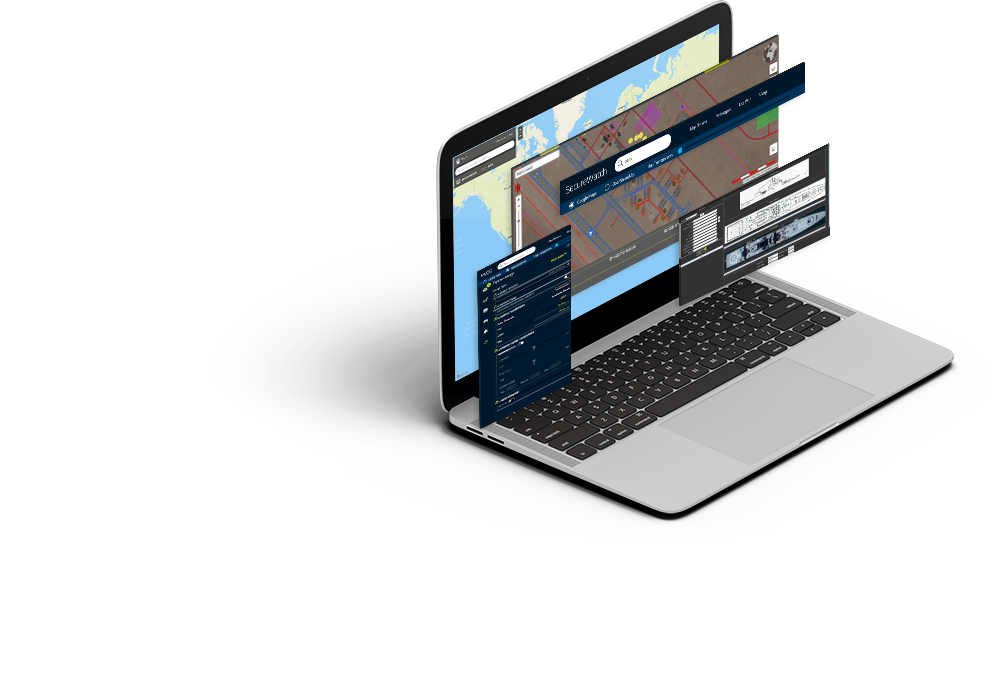
We have teamed up with the most trusted geospatial value-added service companies in the world, to offer an array of software options to optimize raster and vector data ingestion, storage, processing and analysis for any application.
This website uses cookies to improve your experience. We'll assume you're ok with this, but you can opt-out if you wish.DENYCUSTOMIZEACCEPT ALL
Privacy & Cookies Policy
Privacy Overview
This website uses cookies to improve your experience while you navigate through the website. Out of these cookies, the cookies that are categorized as necessary are stored on your browser as they are essential for the working of basic functionalities of the website. We also use third-party cookies that help us analyze and understand how you use this website. These cookies will be stored in your browser only with your consent. You also have the option to opt-out of these cookies. But opting out of some of these cookies may have an effect on your browsing experience.
Necessary cookies are absolutely essential for the website to function properly. This category only includes cookies that ensures basic functionalities and security features of the website. These cookies do not store any personal information.
Any cookies that may not be particularly necessary for the website to function and is used specifically to collect user personal data via analytics, ads, other embedded contents are termed as non-necessary cookies. It is mandatory to procure user consent prior to running these cookies on your website.
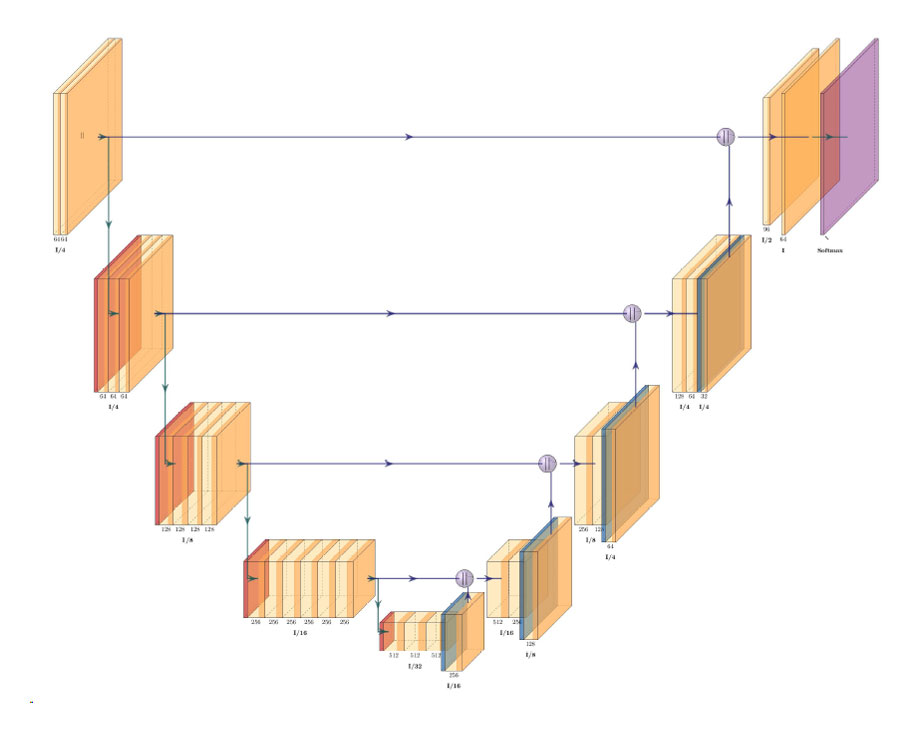
Architecture of ResNet34-UNet model
UNet architecture for semantic segmentation with ResNet34 as encoder or feature extraction part. ResNet34 is used as an encoder or feature extractor in the contracting path and the corresponding symmetric expanding path predicts the dense segmentation output.
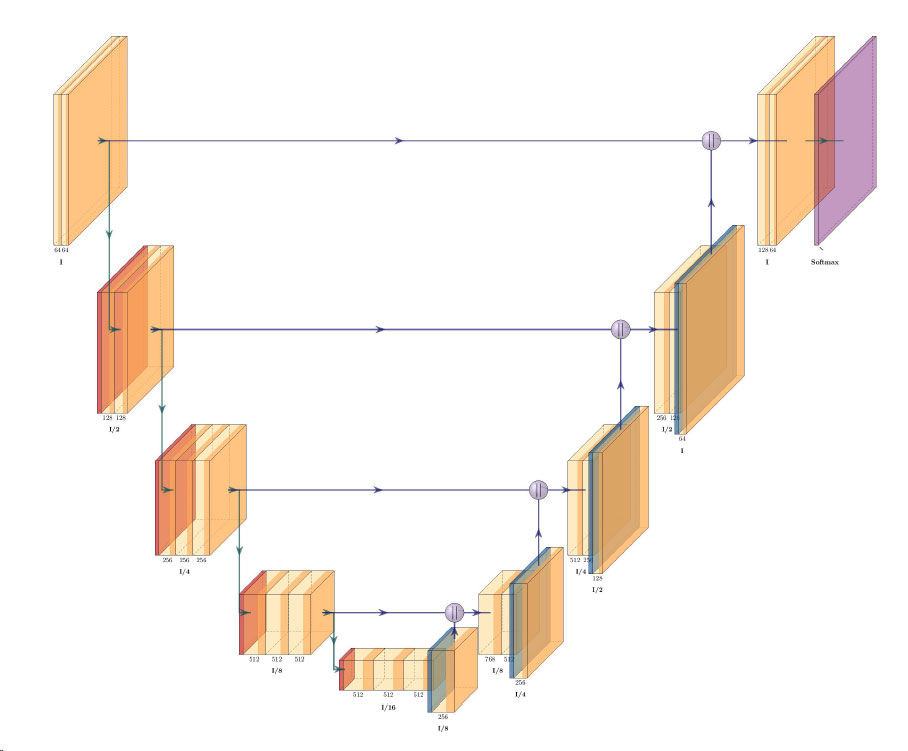
Architecture of VGG16-UNet model
UNet architecture for semantic segmentation with VGG16 as the encoder or feature extractor. VGG16 is used as an encoder or feature extractor in the contracting path and the corresponding symmetric expanding path predicts the dense segmentation output.
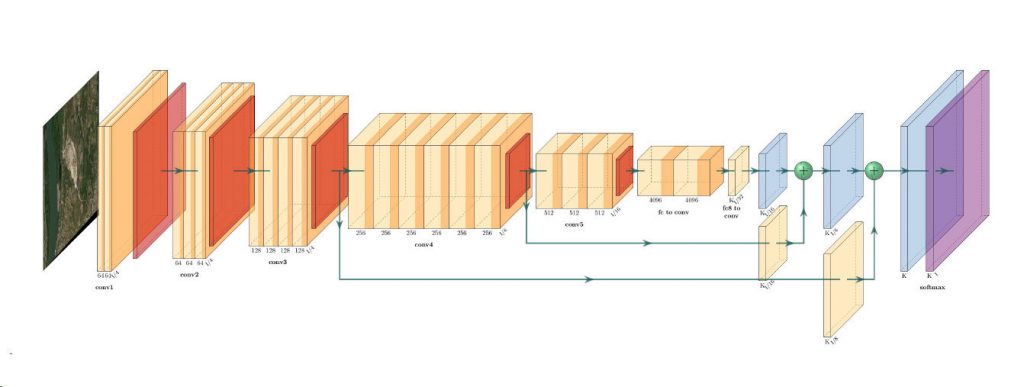
Architecture of ResNet34-FCN model
In this model, ResNet34 is used for feature extraction and the FCN operation remains as is. The feature of ResNet architecture is exploited where just like VGG, as the number of filters double, the feature map size gets halved. This gives a similarity to VGG and ResNet architecture while supporting deeper architecture and addressing the issue of vanishing gradients while also being faster. The fully connected layer at the output of ResNet34 is not used and instead converted to fully convolutional layer by means of 1×1 convolution.
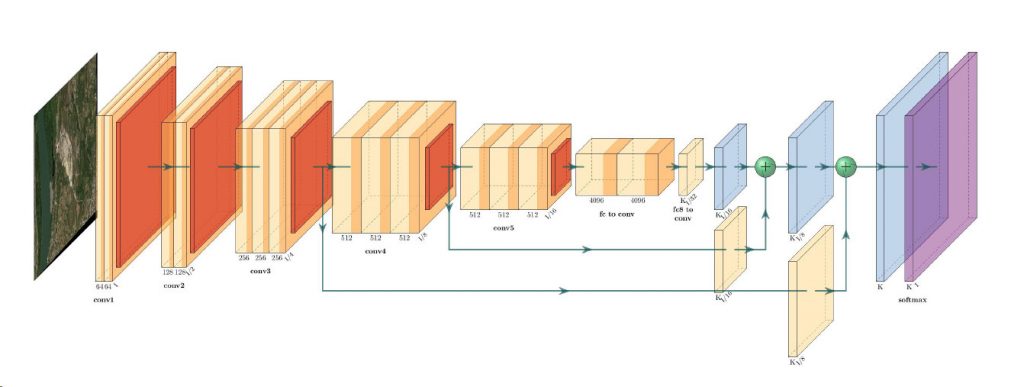
Architecture of VGG16-FCN model
In this model, VGG16 is used for feature extraction which also performs the function of an encoder. The fully connected layer of the VGG16 is not used and instead converted to fully convolutional layer by means of 1×1 convolution.